LinkLane
A Mac app that opens every link in the right browser and profile: work links in your work profile, personal links in your personal one.
What you can do
-
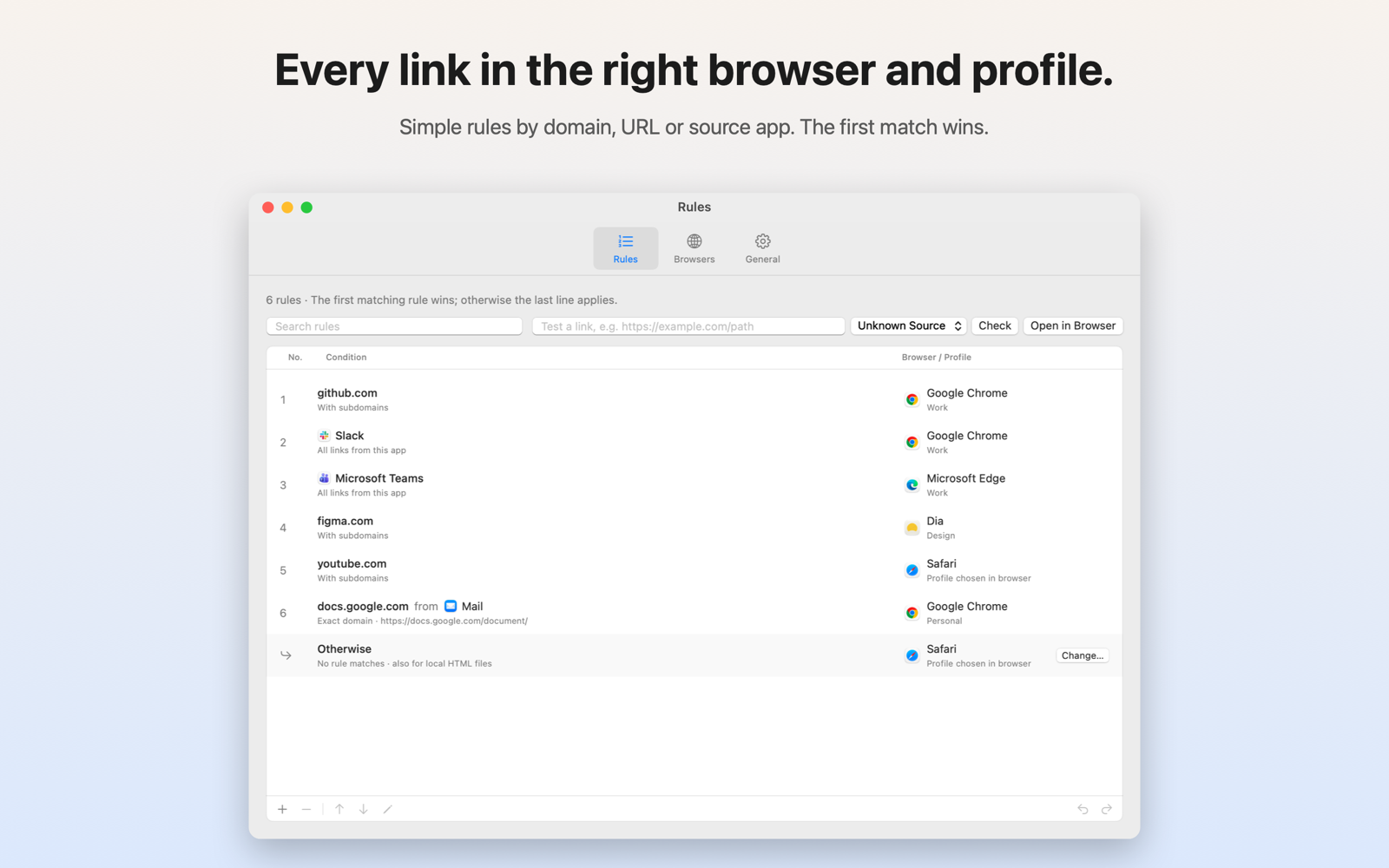
Rules by domain
Send a domain, with or without its subdomains, to a browser and profile. Narrow it to a URL prefix if you need to.
-
Rules by source app
All links from Slack or Teams open in the work profile, wherever they point to.
-
Choose just once
Hold fn or Shift while clicking a link to pick a browser for this one link. Your rules stay as they are.
-
Seven browsers
Chrome, Edge, Brave, Vivaldi, Dia, Firefox and Safari, with fixed profiles and private windows where the browser allows it.
-
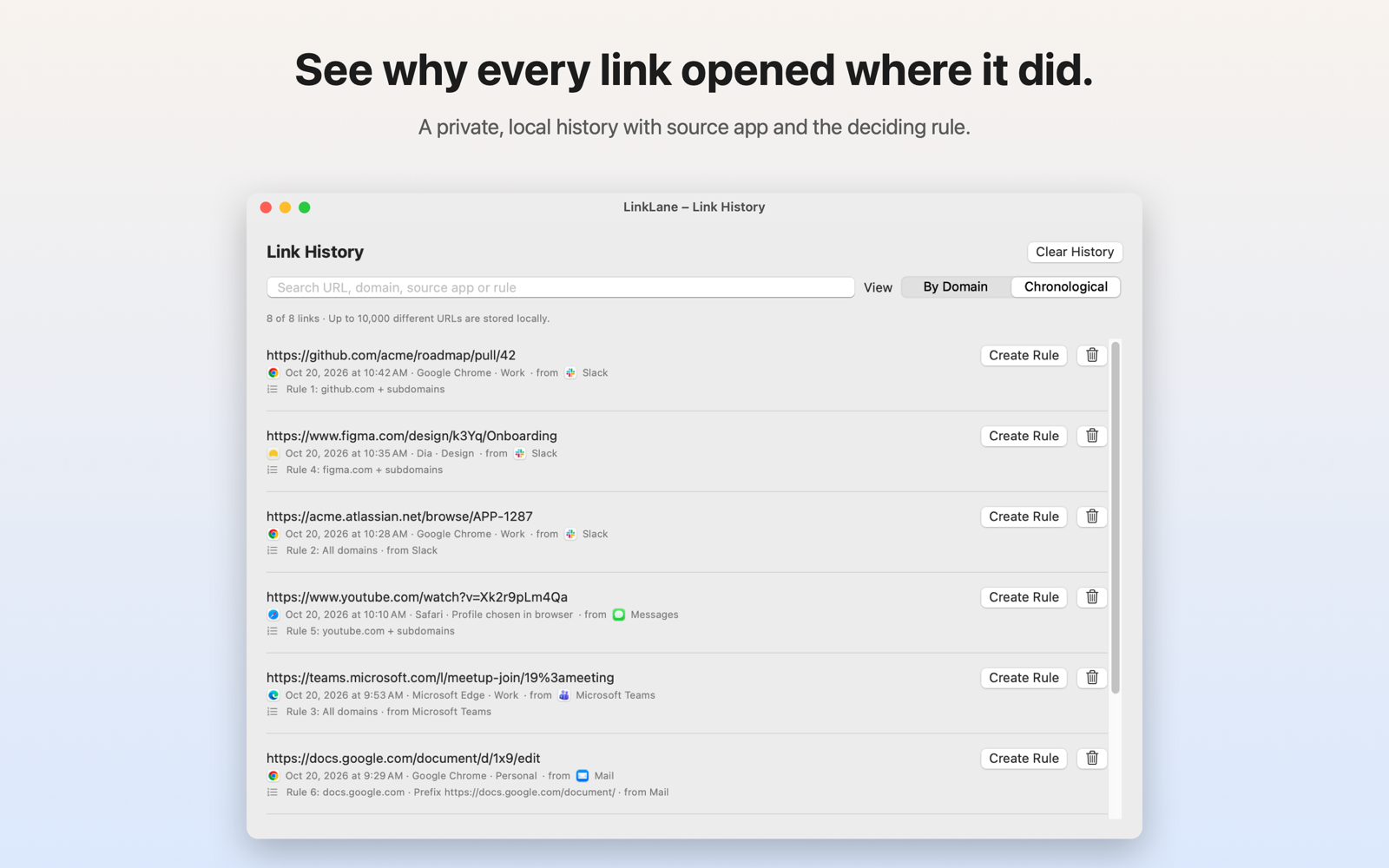
Link history
See which rule opened each link and where it came from, and turn any entry into a new rule.
-
Cleaner links
Optionally remove tracking parameters and unwrap redirect links, entirely on your Mac.
Under the hood
- Swift, SwiftUI and AppKit. A menu bar app without a Dock icon. Forwarded links never open a LinkLane window.
- Source app from the Apple Event. LinkLane reads the sender of the “open URL” event and maps helper processes to their app’s bundle ID.
- Stable profile IDs. Rules store the profile folder (e.g.
Profile 3), not its name, so renaming a profile breaks nothing. - A helper for the sandbox. The App Store sandbox drops browser launch arguments. A small, notarized helper opens fixed profiles and only accepts requests signed by LinkLane.
- Local only. No account, no analytics, no server. Rules and history stay on your Mac.